Love YouTube Text Tools?
Your review helps us reach more users and continue improving the extension!
Help us maintain our 5-star rating!
How to Rate Us on Chrome Web Store
Click the Button Above
Click the "Rate on Chrome Web Store" button above to go directly to our reviews page.
Find "Write a Review" Button
Look for the bright yellow "Write a review" button on the right side of the page. You may need to be signed in to your Google account.
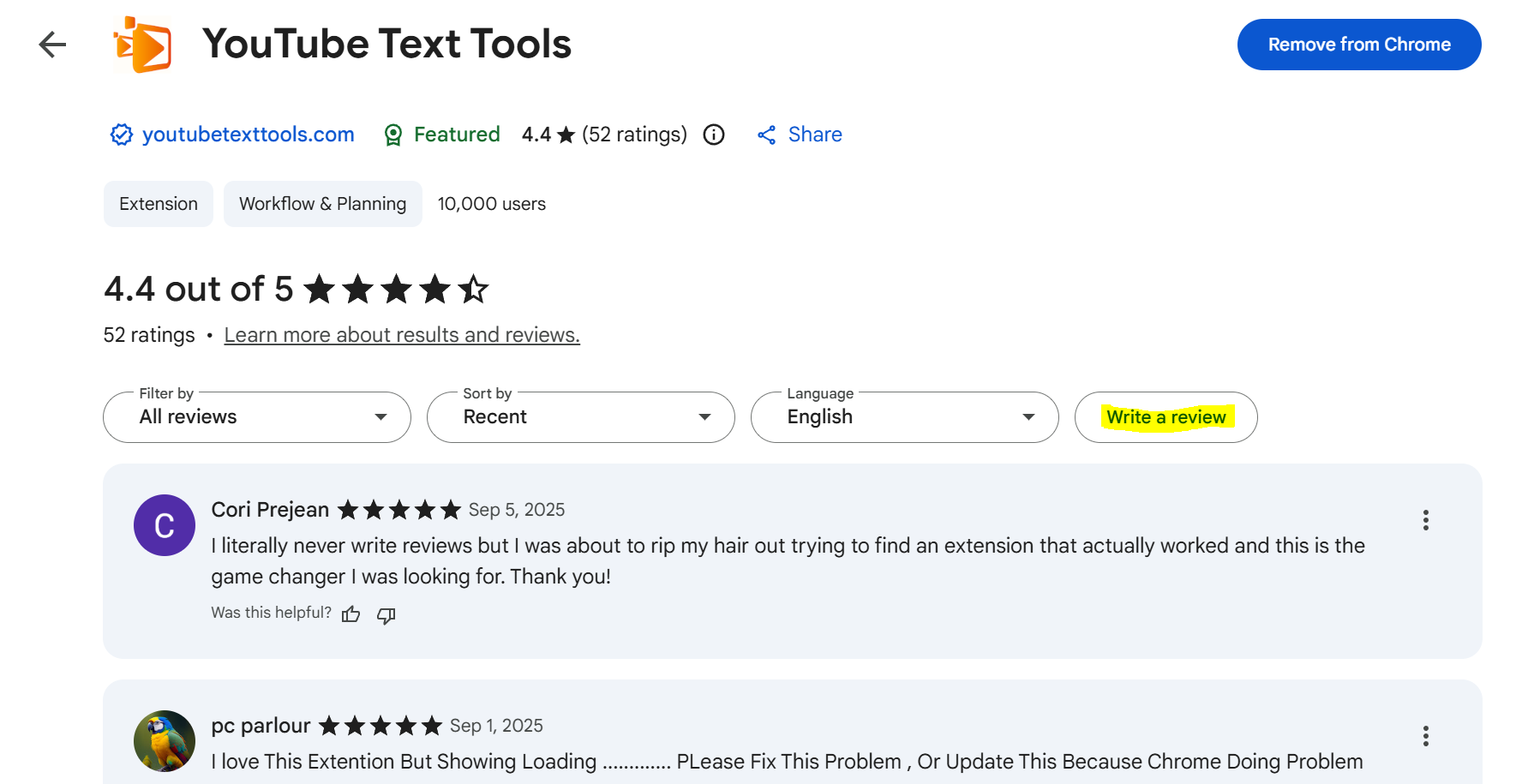
Look for this yellow button highlighted on the reviews page
Select Your Star Rating
Choose from 1 to 5 stars based on your experience. We hope we've earned all 5!
Write Your Review
Share your experience! Tell others what you love about the extension and how it's helped you. Even a short review is incredibly valuable.
Submit Your Review
Click the "Submit" or "Post" button to publish your review. Thank you for your support!
Why Your Review Matters
Help Others Discover
Your review helps other users find and trust our extension
Motivate Our Team
Positive feedback energizes us to keep improving
Shape Future Updates
Your feedback guides our development priorities
Direct Link to Reviews
Share this link with friends or bookmark it for easy access: